- DocumentStandard operating procedurep. 1 · header
- TitleCell culturep. 1 · header
- StatusIn forcep. 1 · header
- Kept inSharePoint · controlled documentp. 1 · header
- ScopeP-14 · fed-batch culture · Site Ap. 1 · section 1
- ProcedureNumbered steps · read in orderp. 1 · section 3
- ReferencesMaster batch record P-14 Rev 3 · the harvest SOPp. 1 · section 4
- ApprovalsRevision history · not shownp. 1 · section 5
The procedure behind the work, easier to trace.
An SOP defines how work is performed within a stated scope and revision. Document Intelligence structures its instructions, references, and document history, so your teams can review the procedure alongside the batches, equipment, and site knowledge relevant to an investigation or transfer.

What the record holds, and where it matters.
The details your team needs are spread across fields, tables, notes, and signatures. Katalyze makes them easier to use while keeping them connected to the record.
Explore Document Intelligence- 01
Document identity and status
The title, document number, revision, and status identify the procedure, with missing identifiers left for review.
Needed for Procedure review · document traceability
- 02
Purpose and scope
The purpose and scope define which product, processes, activities, and sites the procedure covers.
Needed for Procedure review · Tech Transfer
- 03
The numbered procedure
The procedure sets out the sequence of work, with the instructions retained alongside their step references.
Needed for Process review · Tech Transfer
- 04
Referenced documents
References identify the related master batch record and other procedures needed to understand how the work fits together.
Needed for Procedure review · Tech Transfer
- 05
Revision history and approvals
The history records changes, effective dates, and approvals that help reviewers establish which version applied to the work.
Needed for Document review · Tech Transfer
Organized around the way your operation works.
Katalyze maps extracted information to your terminology and field definitions, retaining links to the original page, table, field, or note.
Explore the Context LayerProcedure
cell culture- Titletextheader
- Numberidentifierheader
- Revisionidentifierheader
- Statustextheader
- Kept intextheader · SharePoint
Scope
P-14 · Site A- Processtextsection 1
- Productreferencesection 1
- Sitetextsection 1
Steps
section 3- Stepidentifiercolumn 1
- Instructiontextcolumn 2
- Referenced fromreferencethe batch record's procedure references
Reference
P-14 Rev 3 · harvest SOP- Documentreferencesection 4
- Revisionidentifiersection 4
Revision history
section 5- Revisionidentifiercolumn 1
- Effectivedatecolumn 2
- Changetextcolumn 3
- Approvalsignaturecolumn 4
Approvals
in force- Authorsignature · datesection 5
- Reviewersignature · datesection 5
- Approversignature · datesection 5
A clear path from a flagged value to its source.
Defined checks flag information for review. Your experts inspect the source, confirm or correct the extracted information, and leave a record of the decision.
Review and traceability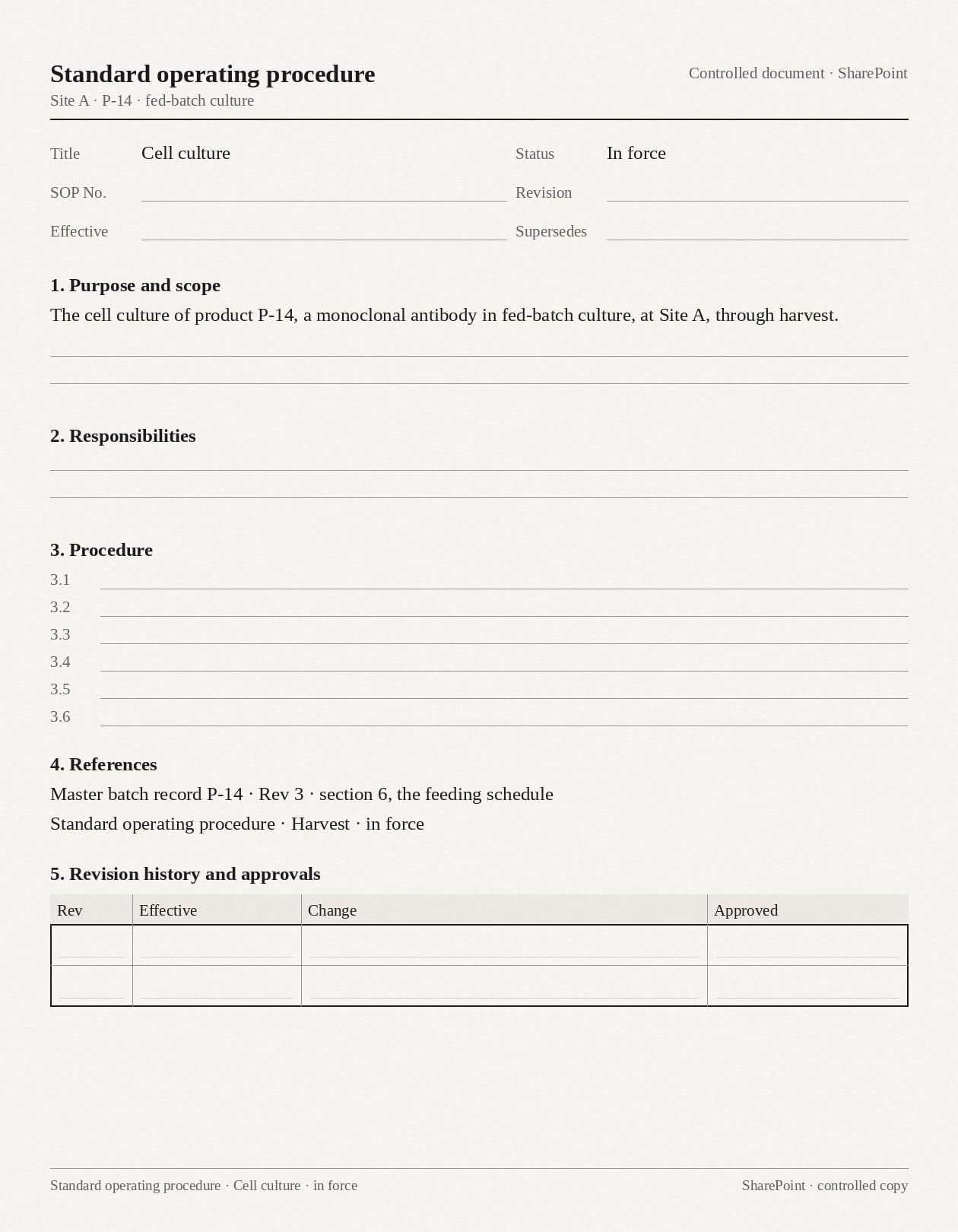

Document data, connected to the wider operation.
Reviewed data can go to a configured destination or join system data through Connectors in the Context Layer, linking records to the materials, batches, and processes they describe.
Explore Connectors- Status · in force · SharePoint
- Scope · P-14 · fed-batch culture · Site A
- References · master batch record P-14 Rev 3
- Reference · the harvest SOP
- Procedures on the master batch record · cell culture · harvest
- Site A · procedures in force
6 things read · every value with its page · source links retained
Evidence for the work that follows.
Agentic Solutions use the Context Layer to investigate operational questions and draft supporting documents and action plans for your experts to review.
Explore all solutions- 01
Tech Transfer
Assemble process knowledge and supporting evidence to prepare transfer documentation and action plans.
- Procedures · cell culture · harvest · in force
- Feed strategy · defined in the master batch record
- Bioreactor operation · equipment differences under review
Questions about SOPs.
How these records are read, checked, and put to use.

Less time preparing data. More time using it.
Bring the job you want to move forward and the records you'd like connected. Thirty minutes on how Katalyze would do the work, and where your experts come in.
Or, just a quick chat to run through the product, your call.